0.60.0 - a serial console, and logs
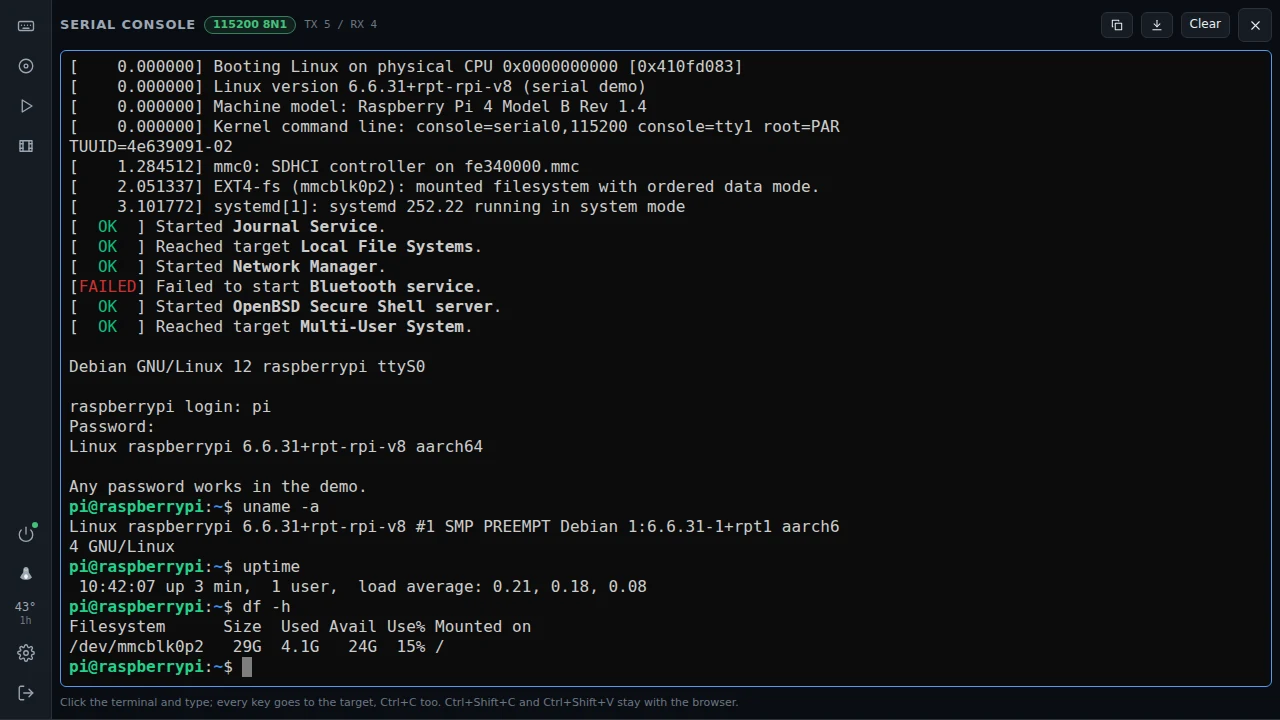
The serial console
Some machines have no screen at all: a NAS, a router, a headless server. Some BIOSes talk over a serial port too. Now the device can be the other end of that wire. Asked for in #69.
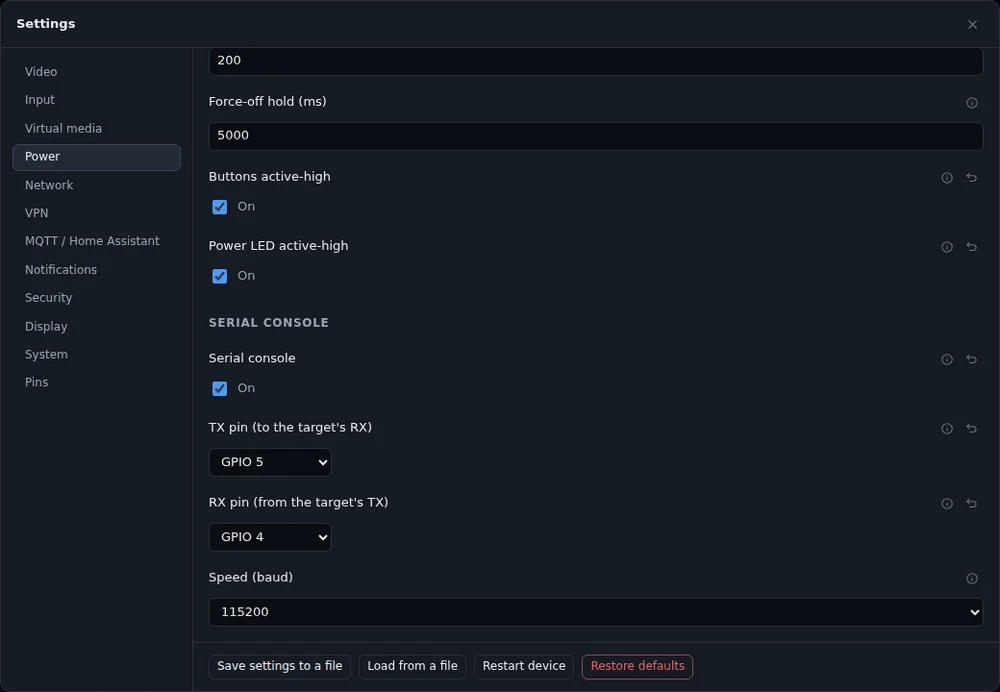
Turn it on in Settings -> Power -> Serial console and pick two free pins. TX goes to the target's RX, RX to the target's TX, and the grounds join. A 3.3 V console, like a Raspberry Pi's, wires straight in. A real RS-232 port on a PC or a switch needs a MAX3232 module in between, because its levels would burn the pin.
A terminal button then appears at the bottom left, before the HDMI one. It opens a VT100 screen over the picture, as at the top of this post: colours, keys sent the way a terminal sends them, Ctrl+C included. The device keeps the last 64 KB, so what the target printed while nobody watched, a boot or a panic, is there when you open it.
When there is no HDMI signal, the "No signal" screen has a button that opens the serial console. A box without a screen gets you there in one click.
Scripts can read GET /api/v1/serial/log and type with POST /api/v1/serial/send.
The target's log over the network
An idea from Reddit. Linux can send its kernel log over UDP with netconsole, and many systems can send syslog the same way. Turn on Settings -> Network -> Netconsole, and on the target:
modprobe netconsole netconsole=@/,6666@<device IP>/No wires, and it works when the target's disk is gone. A new button shows the lines live, and a line with "Kernel panic", "Oops" or another phrase you pick sends a notification, at most one every 30 s.
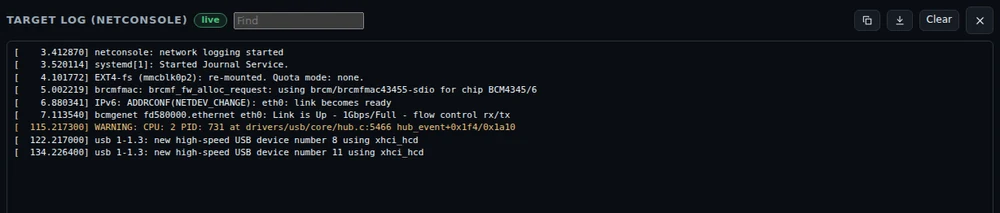
These lines come over plain UDP, so anyone on the network could send one. They only ever notify and never run anything. Set "Accept from" to the target's address.
The device's own log, live
Diagnostics -> Live log shows the device's log as it is written. Errors and warnings are in colour, levels can be hidden, and a search narrows it down. The device keeps 64 KB of it now, five times as much as before.
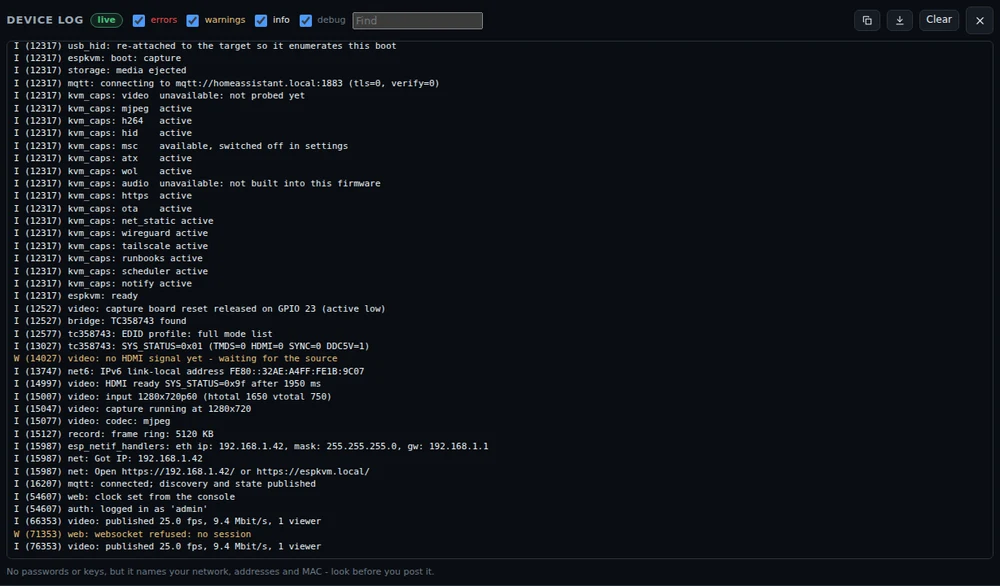
It has no passwords or keys, but it names your network, addresses and MAC. Look before you post it in an issue.
Images from a link
The Media panel can now put netboot.xyz into the rescue slot with one click, straight from their site. Any http or https link can go onto the microSD card too. The device downloads it by itself, so the file does not go through the browser, and a link to your NAS works as well. I promised this in #70.
This needed one fix. With video running, a download over HTTPS broke part-way: the hardware AES needs internal memory for every record, and sometimes there was none. Downloads now ask the server for ChaCha20, which runs in software. Installing a release from GitHub uses the same path.
Smaller things
- The flasher and the tools page can read the chip on a board plugged into your computer: its revision, flash and PSRAM. It suggests the images that fit, and never locks the others.