0.73.0 - The device watches the screen
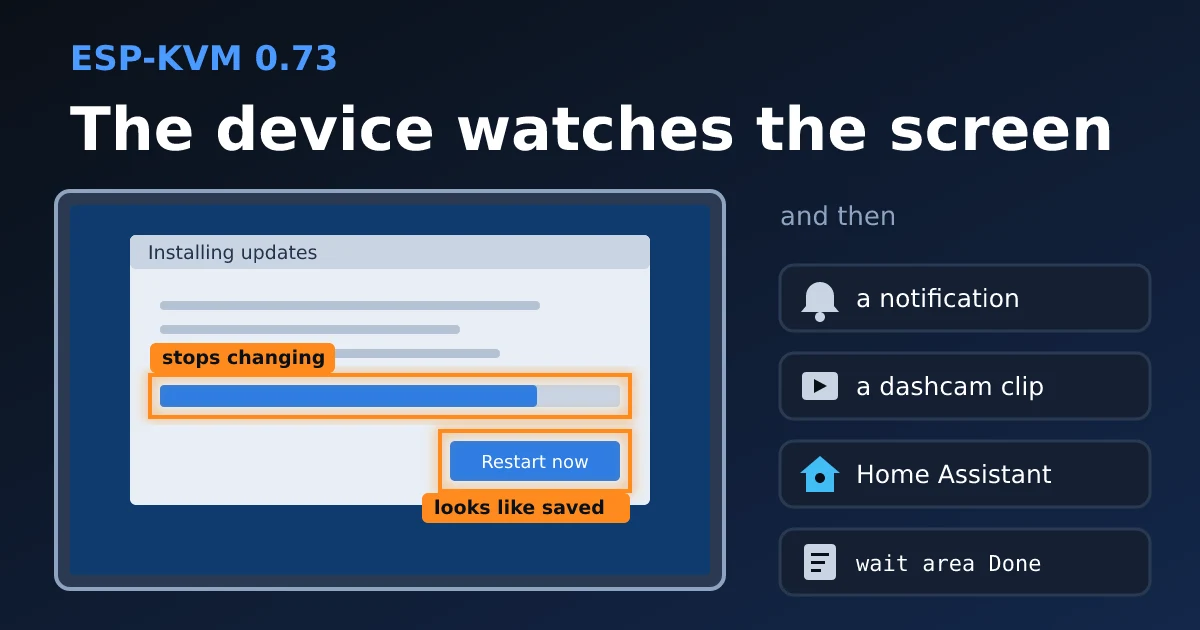
A long install is mostly waiting. The progress bar is in one corner, the "Restart now" button turns up in another, and I kept a tab open just to glance at them now and then. Now the device does the glancing.
Screen areas
Open Automation, then Screen areas, press "New area" and drag over the part of the picture to watch. The device cuts that rectangle into a 16x16 grid and reads the brightness of each cell five times a second. A cell counts as moved only when it changes by more than a little, which is enough to ignore noise and still catch a thin progress bar creeping along (for that one, set "How much of it must differ" to 1%). All of it runs on the device, so the console can stay closed.
An area fires when it:
- changes
- stops changing for so many seconds (an install that is done, or stuck)
- looks like a picture saved earlier, or no longer does
- turns a colour, or changes colour at all (a status light on a panel)
There is a "Has to last" field for a blinking cursor. You get eight areas. They are stored as fractions of the frame, so after a resolution change they stay where they were.
What it can do
Each area can send a notification, keep a dashcam clip and show in Home Assistant as a binary sensor. A runbook waits for one with wait area Name, or for it to go off with gone area Name. Runbooks could already wait for words on a text screen. With areas, "press F12 at boot, wait for the boot menu, pick the USB stick" also works on a graphical firmware setup.
Smaller things
A new device asks once what it will be plugged into: a server, a media or gaming PC, a Steam Deck, a Switch, an Android TV box. Pick all that fit, or skip it.
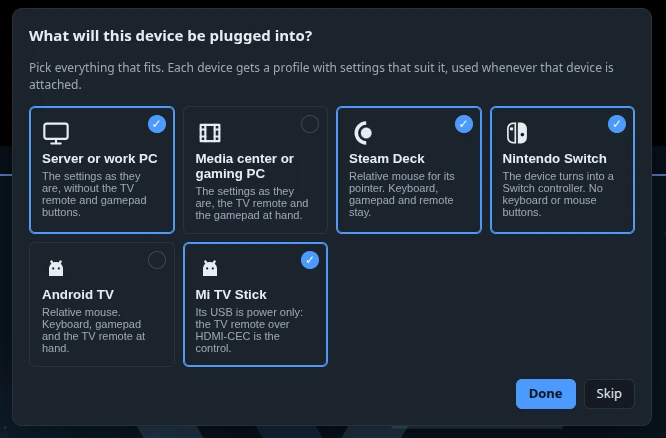
A device that names itself over HDMI-CEC and has no profile gets an offer to make one. The presets also hide buttons the device can't use. A Switch loses the keyboard button. A Mi TV Stick takes power only from its USB port, so it keeps the TV remote and little else.
The touch remote can sit as a bar under the picture. The Video readout has graphs of the frame rate and the bitrate for the last minute. On a phone held upright the picture moves to the top, and the space under it is left for your thumb.
And two fixes. A webhook that answered 200 with no length got the same notification over and over. After hours of uptime the stream could drop to MJPEG and stay there until a restart, because the H.264 encoder got rebuilt when PSRAM had no room for it. Now it is rebuilt only when the room is there.
Comments