0.86.0 - VNC as fast as the browser
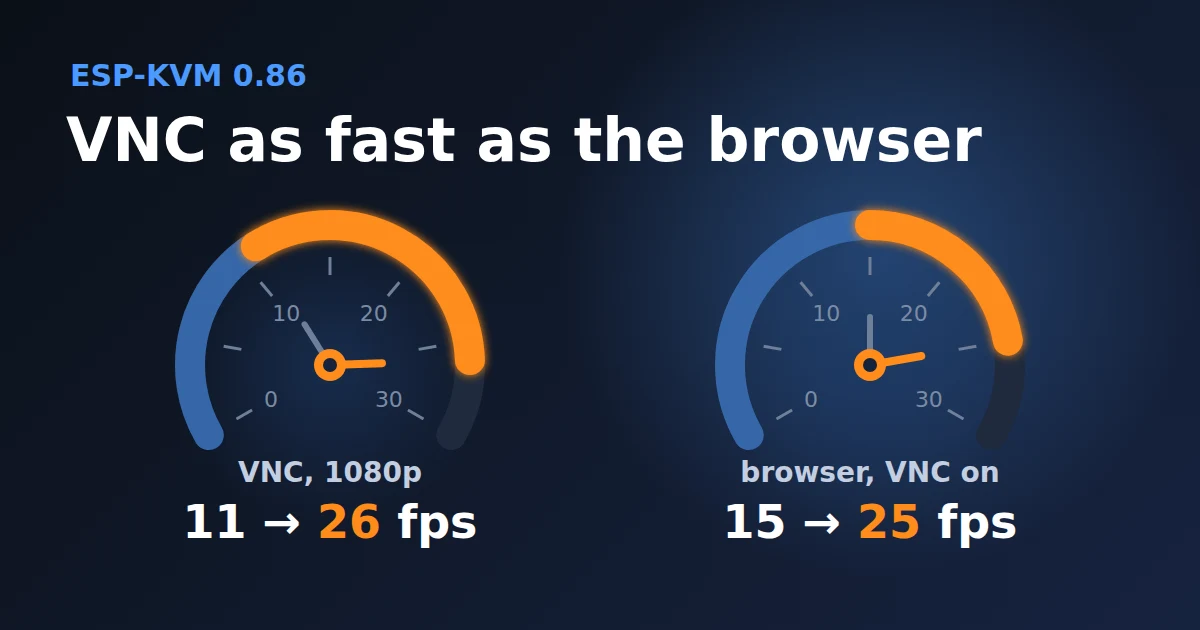
In 0.85.0 the VNC server sent the picture as JPEG. On a JetKVM Mini at 1080p that gave 6 to 11 fps over TLS. The device also had to make a JPEG of every frame next to the H.264 stream, so the browser went from 21 to about 15 fps while a VNC client was connected.
That was not a limit of the hardware. PiKVM made an extension to VNC called Open H.264, and TigerVNC supports it. With it the VNC client gets the same H.264 frames as the browser. Nothing is encoded twice.
The numbers
On a JetKVM Mini at 1080p, over TLS, with the encoder making 26 fps:
- TigerVNC gets 26 fps, every frame the encoder makes.
- The browser gets 26 fps alone and 25 fps with a VNC client connected at the same time.
- On my test screen the H.264 stream needed under 1 Mbit/s. JPEG needed about 25.
The 0.85.0 numbers were taken at 1080p50 and these at 1080p30. In both cases the encoder makes about 25 frames a second.
What you need
- TigerVNC 1.13 or newer with H.264 support. The Windows builds have it. On Linux it needs a build with FFmpeg. TigerVNC picks H.264 by itself when it can.
- H.264 as the stream codec on the device: Settings, Video, Picture, Stream codec.
A client without H.264 gets JPEG as before, and that got faster too. The end of every frame used to wait for the viewer's reply to the part before it. Over plain VNC on the Mini, JPEG went from 13 to 20 fps.
Fixed
- A console tab that was signed out, for example after a restart, kept trying to open its keyboard connection every 30 seconds. It now waits for the sign-in.
The full list is in the changelog.
Comments