What is an IP-KVM? Remote control of a computer from the BIOS up
An IP-KVM is a small box that gives you another computer's screen, keyboard and mouse over the network, in a browser. It plugs into the computer's video output and a USB port, so nothing has to be installed on the computer, and it keeps working when remote desktop cannot: in the BIOS, at a boot menu, on a machine that does not start, or with no operating system at all.
Most people know remote desktop. You sit at one computer and see the screen of another one. It is very useful. It also has one weak point: the far computer must be working. Its operating system must be running, and its network must be up.
When something goes wrong, that is exactly what is missing.
The computer stops at a black screen with a short message. It waits for someone to press a key. It shows the setup screen and stays there. The system does not start. The disk is empty and needs a new system. Or the computer is simply off. In all of these cases there is nothing running that remote desktop could talk to. So you get in a car, or you ask someone by phone to press buttons for you.
The idea
An IP-KVM solves this with hardware instead of software.
It is a small box. You plug it into the video output of the computer, and into one of its USB ports. That is all. Nothing is installed on the computer, and nothing has to be set up on it.
The computer now thinks that a screen and a keyboard are connected to it. It cannot tell that they are not real. The box takes the picture, sends it over the network, and you open it in a browser on your phone or laptop. What you type in that browser goes back to the computer as key presses.
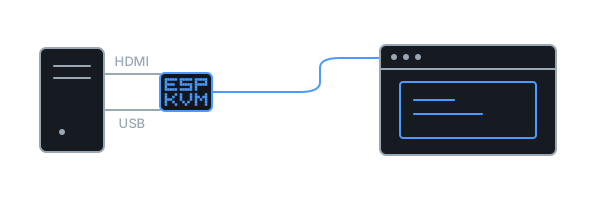
The name is old and not very friendly. KVM means keyboard, video, mouse - the three things such a box carries. IP means it does this over the network. So: keyboard, screen and mouse of one computer, over the network, in a browser.
It needs nothing from the operating system, and it does not care whether the computer runs Windows, Linux or nothing at all. It works while the computer is still starting up, which is where every other tool is blind.
Servers have had this for years
This is not a new idea. Real servers come with it built in. Different makers give it different names - iDRAC, iLO, IPMI - but the job is the same: reach the machine when its system is dead. People who work in data centres take it for granted.
Two things kept it out of normal life. It was built only into expensive server hardware, and the separate boxes that do the same for a normal computer cost several hundred euros or more.
That is the only thing that has changed. The idea is old. It is now cheap.
When it is useful
Here are the situations people actually describe.
Your parents live in another city, or another country. Their computer breaks now and then. Usually the fix is small - press a key, choose a different start option, undo a bad update. But over the phone it takes an hour, and sometimes it cannot be done at all. With a box on their computer, you open a browser and do it yourself in two minutes. They do not have to touch anything.
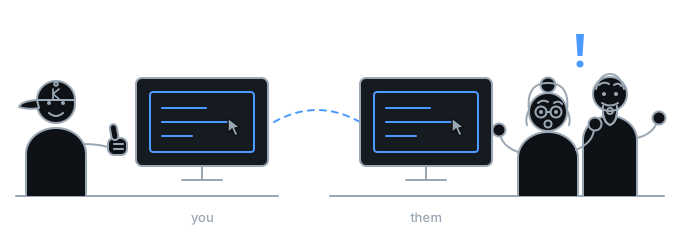
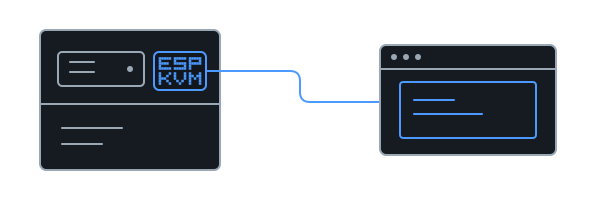
You keep a computer at home that nobody sits at. A small server in a cupboard. A machine that stores films, or backups, or your photos. It has no screen and no keyboard, and it stands in a place that is hard to reach. It works for months, and then one day it does not answer. Without a screen you cannot even see why. This is the same box, on a shelf beside it.
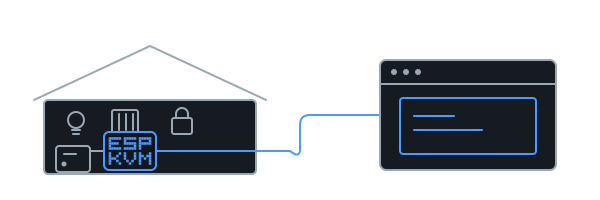
Your home is automated. The lights, the heating and the front door all go through one small computer. When it stops, the house stops with it, and that does not wait until you are home. If it will not start, there is nothing running on it to connect to - so the usual remote tools have nothing to talk to. The box does not need it to be running: it shows what the machine shows and types what you type, from the first second.
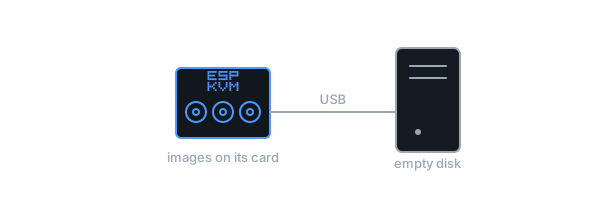
You need to install a system from far away. The box can also pretend to be a USB stick. A system image on its memory card is offered to the computer as if you had walked over and plugged one in, so a machine with an empty disk, in another building, can get a fresh system without anyone going there.
The card is written the ordinary way, in a card reader, before the box is left in place. One card holds several images, and the console picks which one the computer sees - so what it boots from can change later, even though the card cannot.
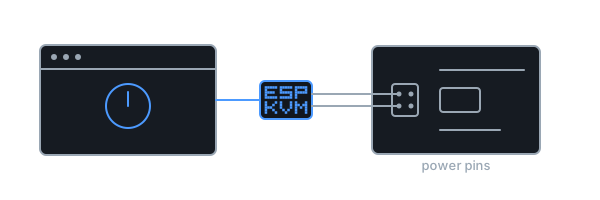
The computer is switched off. A screen and a keyboard are of no use then. Two thin wires from the box to the power pins on the computer's board, and the button in the browser does what the button on the case does. Many computers can also be woken over the network, and the box can do that too.
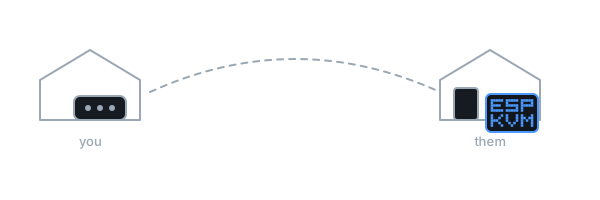
You have a machine somewhere you cannot easily reach. A workshop. A summer house. A rented server in another country. An old computer that runs one program and must not be touched. The pattern is always the same: getting to it costs more than fixing it.
What it is not
It is not a replacement for remote desktop. When the far computer is healthy, remote desktop is faster and sharper, and it can move files. Use it.
An IP-KVM is for the other times, when there is nothing on the far machine left to connect to.
It does not carry sound, and it cannot repair broken hardware. It lets you see and press, exactly as if you were standing in front of the machine.
One warning
This box has full control of a computer. Anyone who reaches it can do anything to that machine. So do not put it directly on the internet.
Keep it on your home network and reach it through a VPN - a private tunnel to your own network. ESP-KVM has two built in, so this needs no extra equipment, and it takes about ten minutes to set up.
What it takes to build one
Two small boards, one flat cable, and no soldering. One board is the computer that does the work. The other turns the video signal into something it can read. You connect them, plug the pair into the machine you want to reach, and flash the firmware from a web page - there is nothing to install on your own computer either.
The quick start has the parts list and the steps. The whole thing is open source: you can read every line of it, change it, and build it yourself.
Comments