0.62.0 - 155 ms from your mouse to the picture, and twice the free memory
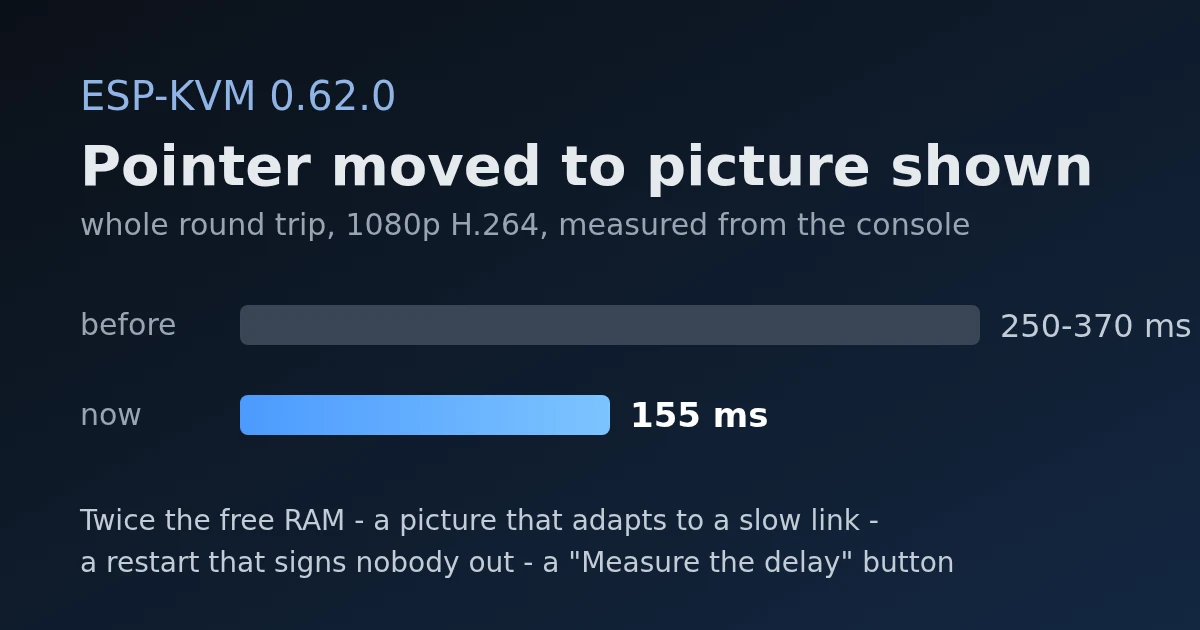
This release is mostly about speed and memory, and every number below was measured on the devices.
A button that measures the delay
The Video readout (click the video figures in the status bar) has a new button, "Measure the delay". After a few seconds to let go of the mouse, it moves the target's pointer back and forth and times how long until the picture in the browser shows it. That is the whole way round: the browser, the network, the device, USB, the target drawing its cursor, HDMI, capture, the encoder and the decoder. Beside it the readout shows how much of that is the device and how much is the browser.
It needs a visible pointer and a still screen, and says so when it cannot see one.
H.264: 170 ms less
The first thing the button found was that H.264 was much slower than MJPEG - 250 to 370 ms against 160. The device took 75 ms of that. The browser took 174.
The ESP32-P4's encoder makes no B-frames, but the stream did not say so, and without that Chrome's decoder held about four frames back before it showed one. The device now writes "frames are never reordered" into the stream's header, and the console adds it to a stream from older firmware. The browser's share went from 174 ms to 2, and the whole round trip at 1080p to about 155 ms - the same as MJPEG.
On the M5Stack Unit PoE-P4, where H.264 runs at 5 to 16 fps, four frames held back were most of a second. There the round trip at 720p is now about 185 ms.
The whole round trip, mouse moved to picture shown:
| Board | Video | Before | Now |
|---|---|---|---|
| Function EV | 1080p H.264 | 250-370 ms | about 155 ms |
| Function EV | 1080p MJPEG | about 160 ms | about 160 ms |
| M5Stack Unit PoE-P4 | 720p H.264 | not measured | about 185 ms |
Decoding H.264 in the browser:
| Board | Before | Now |
|---|---|---|
| Function EV | 174 ms | 2 ms |
| M5Stack Unit PoE-P4 | not measured | 2 ms |
Two smaller ones on the way: the USB keyboard and mouse asked to be polled every 64 ms, not 10 - at high speed that number is an exponent - and now it is 1 ms. And on the M5Stack board at 1080p60 the device now only lets through the frames it can use, which took H.264 from 5.5 to 7.2 fps and MJPEG from 9.6 to 11.
| Board | Video | Before | Now |
|---|---|---|---|
| M5Stack Unit PoE-P4 | 1080p60 H.264 | 5.5 fps | 7.2 fps |
| M5Stack Unit PoE-P4 | 1080p60 MJPEG | 9.6 fps | 11 fps |
A slow link no longer stutters
Over WiFi the picture used to run smoothly for a second and then stutter. A viewer that could not take a frame was skipped and asked to wait for a keyframe, which is many times bigger than a frame and filled the link again. Now the device sends less instead: two misses in a second cut the H.264 bitrate, or the JPEG quality, by 30%, down to a quarter, and every three clean seconds give a quarter back. The Video readout says when it is doing it.
Also: in "Ethernet with WiFi as the backup", espkvm.local could answer with the WiFi address, the slower of the two. While the cable is up only Ethernet answers now.
Twice the free memory
The ESP32-P4 has 32 MB of PSRAM but only about half a megabyte of internal RAM, and TLS needs the internal kind. A new memory page, GET /api/v1/system/memory, lists every task with its stack and how much of it the task ever used. The stacks took 220 KB, and most of each was never touched: the sizes were guesses. I measured them over hours of use, plus a Telegram message and a clip, and cut each to one and a half to two times its peak. On the Function EV free internal RAM went from 31 to 66 KB, and the lowest it got from 10 to 50. That RAM was why the console sometimes could not open a connection.
| Board | Internal RAM | Before | Now |
|---|---|---|---|
| Function EV | free | 31 KB | 66 KB |
| Function EV | the lowest it got | 10 KB | 50 KB |
| Function EV | free DMA-capable, what TLS uses | 5 KB | 41 KB |
| M5Stack Unit PoE-P4 | free | 121-134 KB | 175 KB |
With it, both boards took 36 HTTPS connections at once while streaming, without a single failure.
Smaller things
- A restart no longer signs anyone out. Sessions are kept in flash, as a hash of each token, so after an update the console carries on.
- Several screens. On a target with two monitors the absolute pointer covers the whole desktop. Settings -> Input -> Several screens -> "Find this screen" works out where the captured screen sits. It sometimes needs a second run.
- Wake the target. A screen that went dark after idling sends no HDMI at all. The console now nudges the mouse when it opens to "No signal", and that screen has a button for it.
- The button on the box can switch the network: hotspot on and off, the next mode, or Ethernet and WiFi.
- A gamepad-only USB mode is no longer a mystery: a bar says the keyboard and mouse are off and brings them back.
- Uploads no longer fail with "out of memory" after a few hours.