0.87.0 - Boot without the card, and a KVM switch
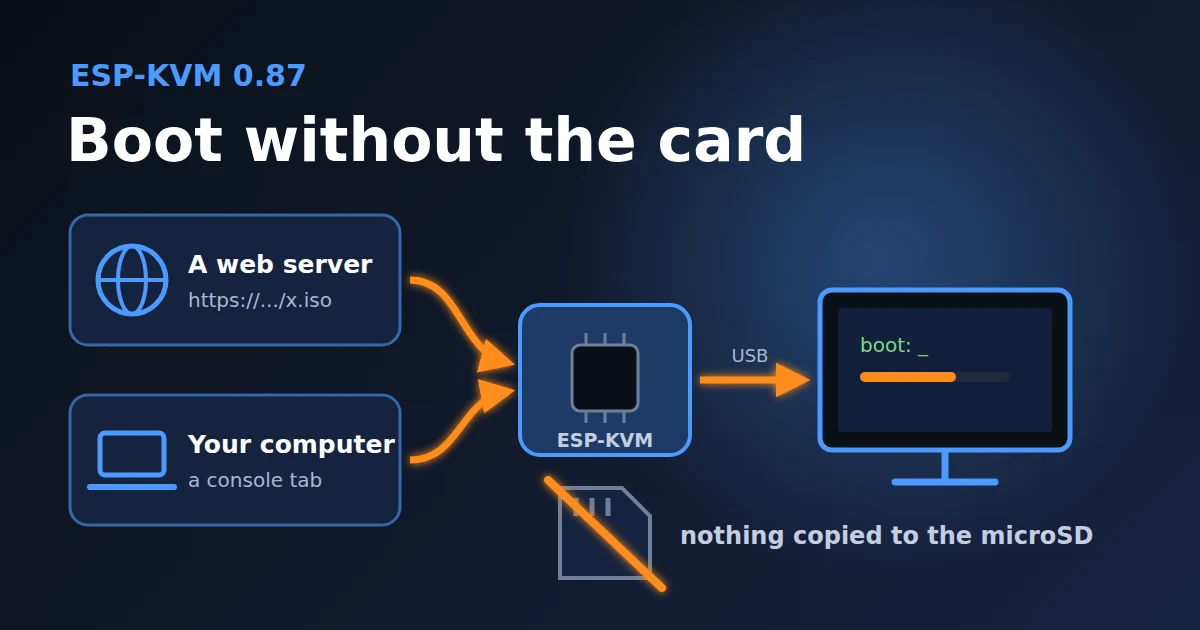
Until now an image had to be on the device before the target could boot it: on the microSD card or in the rescue slot. A reader on OpenNET asked to boot an ISO from their own computer without storing it on the card. This version adds that, and booting from a web server. It can also drive a KVM switch, so one device covers several machines.
From a URL
Paste a link in Media and press Boot from URL. The image stays on the server, and the device reads the parts the target asks for with HTTP Range requests. It works without a card, and with images bigger than the card.
The server has to support Range requests. nginx, Apache, Caddy and most NAS servers do. http and https both work, and redirects are followed. If the server cannot be reached, Media says why and the device keeps trying.
A link can hold a password or a signed token, so it is stored as a secret. The API never returns it, and it is not in a settings export.
From this computer
Press Boot from this computer and pick a file. The device asks the console tab for each part the target reads, and the tab sends it from the file. Nothing is uploaded first.
So the tab has to stay open. A banner says so, and the browser asks before the tab closes. After a short drop or a reload the device waits 15 s for the tab, and the reads go on when it is back. After that the drive is empty, as if the disc were taken out.
Only a full sign-in can serve a file, not a view-only one.
Speed
Reading the whole drive with dd on a Linux target, JetKVM Mini over Ethernet:
| The image is on | Speed |
|---|---|
| the microSD card | 5.0 MB/s |
| a web server on the LAN, http | 4.0 MB/s |
| a console tab on the LAN | 1.6 MB/s |
At 1.6 MB/s from the tab a gigabyte takes about 11 minutes, so I suggest the tab for images up to 1 GB, like a netboot ISO or a small installer. A bigger one is faster from the card or a URL. While the target reads from the tab, video runs at 2 fps, as during an upload, and the console shows how fast the tab sends.
A KVM switch
ESP-KVM can now sit in front of a KVM switch and pick the machine. It drives two kinds:
- A switch with a select button. Cheap HDMI and USB switches often change the machine with one button. A free GPIO goes to that button, and the device presses it as many times as it takes. The pin can go straight to the button when the switch runs at 3.3 V, or through an optocoupler. The device counts the presses. If the switch has a light for each machine, a wire from the first one keeps the count right after a press by hand.
- A TESmart switch over the network. TESmart switches with a LAN port take commands on TCP port 5000. The device sends the same commands as PiKVM, and every 10 s it asks the switch which machine is on, so a change from the front panel shows up too. It needs no wires, so it suits the JetKVM Mini, which has no free pins. The switch has no password, so keep it on a network you trust.
Set it up in Settings, Power, KVM switch: the kind, how many machines, their names. The Power menu then has a button for each machine. Plug the device into a USB port of the switch's hub, not its keyboard and mouse port: the virtual drive does not pass through that one. A button on the box, the menu on the screen, a schedule and Home Assistant can switch too, and so can a script with POST /api/v1/power/switch?machine=3. Wiring is in docs/wiring.md.
Inside
A read from the target used to run in the USB stack's own task. That was fine for a card, but a network read can take seconds, and keys and the mouse go through the same stack. Now the USB stack hands each read to a media task and is free at once. Every source, the card included, goes through one read-ahead cache in PSRAM. The card reads as fast as in 0.86.0.
Ethernet lost packets in bursts. A fast server sends a whole TCP window at once, about 45 packets, and the receive ring held about 7 frames. About 4% of the packets were lost, and each loss stalled the connection. The ring now has 30 buffers, and the device sends pause frames when they run low. Reading an image over HTTP went from 1.6 to 4.0 MB/s. This is on every board with Ethernet and costs 5 KB of RAM.
Also
- VNC: on a still MJPEG screen the device read no keys or mouse moves while it waited for a frame, so the first move after a pause came late. Now it reads them while it waits.
Comments